I was facing some problems while using IE 7.0. I’m using this from last almost 6+ months from its Beta 1 version.
First time I come to know the problem while trying to browsing INETA APAC site. Whenever I try to access this website http://apac.ineta.org I face one problem, there is menu on that site I was unable to use that as it not showing me that menu and showing ‘error in loading’ message in status bar. I was thinking it may be because of the beta and may be solved in final IE but on 20th October when I installed IE 7.0 full then also it showing me same problem. I really feel very bad as I was not able to access INETA site from my laptop.
Second problem was with Windows Live mail beta i.e. my Hotmail/MSN e-mail account. When I type www.hotmail.com it shows me the login page and after entering the login name and password it starts redirecting to other pages, in few seconds it shows “Done” in status bar of IE and the main thing is that there is nothing on page, page was blank. Since I’m using outlook for my mail I didn’t care much about this problem. And also I found one solution if I need to check my hotmail mail on web. I login to Windows Live messenger in that there is a ‘Windows Live today’ page which normally opens as soon as you login. In that if I click on any mail my Windows Live mail gets open without a problem. So I didn’t think to the mail problem.
Third problem was with www.mail.com . The site was not able to open. One of my friends who use mail.com as his primary mail address faces this problem when he tried to access it from my pc. Since I don’t have account there I didn’t care to solve this problem also.
But now the forth problem was with my own web application… so I have no option to think on that and try to solve. Till now I was developing and testing that on my local host. And that was working fine so no issue. Now application is almost over and I hosted that to my web server for live testing. And the problem starts from here…. Some of features are not available or fails to run. Initially I thought that there must be some problem with IIS so check that… install all updates etc. but it still give me problem. But that same application was working well if I access that from other windows XP PCs with IE6.0 or other browsers. Last 2-3 days I was trying to solve this. I was also thinking there might be some bug in application I also check my code If I can solve that… I tried to solve that everyway I can but failed. So decided to post this to some forum or to mvp mailing list so that some one may help me so I was planning to post that on today evening. But I got solution for that on today morning….
Actually today I was really in a very bad mood in morning … since I heart one of my best friends and I was filling like very guilty for that and because of that I was not in a good mood to do some thing new. So in office I was just playing with that application. (Good na ! I have my won company else can I do this? playing ???) Don’t know how one point comes in my mind that same applications runs on my laptop if I can access it from local host and why not from my web server over the Internet. What is the difference between these 2 in case of accessing it from IE 7.0 and then I notice one thing on the status bar on IE. For local lost it showing as “Trusted site” and for web server over internet it shows “Internet”. I said lets try I added my web application URL as a “Trusted site” in IE7.0. And here it goes… everything is working fine. So I just tried this for all 3 problem mention above and all problems are solved. So the problem was with security of IE 7.0 and I‘m so stupid that I was searching that everywhere in the code, IIS etc.
So if you face the problem like this and thinks… not just think if you are sure about that site then you can add that site as trusted site to IE 7.0 but do care while adding since adding to trusted site give more access for scripts and active controls on your machine. I use this since the site is developed by me and I trust my self other Ineta and Hotmail …I can trust them blindly for mail.com I just test that and removed since I don’t know about that site.
Tuesday, October 31, 2006

Saturday, October 07, 2006
Dreams come in reality
Yessssssssssssssssssssss!!!!!!!!!!!!!!
I am now Microsoft MVP
Yes, I have been awarded Microsoft MVP status for Visual Developer C#.
It is formally announced on today… but I know this on yesterday … How ? That is a big secrete …
I'm really very happy .
I am now Microsoft MVP
Yes, I have been awarded Microsoft MVP status for Visual Developer C#.
It is formally announced on today… but I know this on yesterday … How ? That is a big secrete …
I'm really very happy .
Friday, November 18, 2005
My First Web Chat
Yesterday (16th Nov, 2005) I had my first technical web chat on “3D in Windows Presentation Foundation (Avalon)” and it was really different experience for me which I think I must share with you.
The very first interesting thing in this is that how I got an opportunity to host a Web Chat and that is also in Microsoft Expert chat program. (http://www.microsoft.com/india/communities/chat)
Actually this chat was supposed to host by my friend Dhaval Faria [MVP]. But since he had some problem one day before he called me in afternoon. I was in mess and just started my lunch. He called me and just said “Are mahesh eak problem ho gaya hai”. I thought he was taking about the UG meet. So suddenly I said that “abe ab ye mat bol ki tu Saturday ko UG meet ke liye pune nahi aa sakata”. On this he said that “woh nahi re mai Saturday ko aa raha hu lekin kal mera chat hai aor muze same time pe muze eak jaruri kam hai woh mai cancel nahi kar sakata”. And he asked me to conduct that chat. Very firstly I said I can’t since I didn’t prepare for that and it was very difficult to prepare in a day and host a chat on a very new topic like Avalon. Afterwards I agreed and he also agrees to send me all the material he had related to that.
After that in evening when go to check my mails since Dhaval suppose to send me the material for that and I’m shocked there was no mail from Dhaval. I called him and asked about that so he said I will send in night I say ok and that time I thought let search some martial, articles, samples on Microsoft site so that if Dhaval not send that in night also that can help to prepare and the things happened same as I thought he didn’t send the material in night also. So download many things from Microsoft site related to Avalon, and in late night started preparing for that. Around 2:00 AM in night I stop reading and go for sleep.
In morning also I was busy in reading the things about Avalon. Around 10:00 AM Dhaval called me and told that he mailed the material so again I go to check my mails and download that material and came home and again started reading that. You can’t think I was really reading as I did that in my college time for my exams. I was really in tens for that 36 hrs. During this Dhaval called me 2-3 times and explain me about the chat. Since this was my first chat I have no idea the chat procedure and how it goes etc.
So I decided to go online at 4:00 PM as chat suppose to start at 5:00 PM but I was really in tens to so I go online around 3:40 PM. I think I will talk with Subhashini about the chat manager tool and installed in. since the time 4:00 to 7:00 is electricity load shedding time for my area I decide to go for Sify Iway café since they have backup. So there should not be any problem if power goes. But subhashini was not online on MSN so I talk with abhishek but he also said that subhashini will help you for this he has no idea. I send SMS to her and around 4:15 I got a mail from her with that “Chat manager tool” which I suppose to use for chat. I downloaded that and start to install and it gives a BIG ERROR message!!! That it requires.NET Framework 1.1 so first install that and now everything goes for Toss. I can’t install that since I don’t have Framework with me I told that to subhashini. She said to do something because without that chat manager we can’t save / record the chat and also I can’t login as Expert then I need to login as guest. but even I can’t do anything that time since I don’t have framework and I can’t download that since it will take more time and we have only 15 minutes left to start so we decide me to chat from web (Internet explorer) and use “Mahesh(Expert)” as my nickname in guest login.
At sharp 5:00 PM we started first subhashini introduces me and then I start my talk. During that only 2-3 questions was asked. I tried to answer that at same time for one question I answered but I was not sure for that answer so I called Dhaval and check my doubt was right so I again answer that question at the end. At 5:55 I finish my talk and then desk was free for questions but not much questions came and also closing time was 6:00 so subhashini announces 15 minutes more for the question answer session. But only 2-3 questions came. In 15 mints so at end I post my mail address so that they can mail me questions and also post some good links about the topic. And say thanks to all. And then subhashini closed the chat with vote of thanks.
Immediately I called Dhaval and said (not said just Shout!!!) Yessssssssss!!!!! It’s over and I did that successfully.
Thanks to Dhaval, subhashini for giving such a good opportunity. Now we (I and Dhaval decided to commonly do the next web chat on Avalon and also may be do the session)
So this is my first experience of web chat the transcript is available on Microsoft site. you can read that at http://www.microsoft.com/india/communities/chat/36.aspx
The very first interesting thing in this is that how I got an opportunity to host a Web Chat and that is also in Microsoft Expert chat program. (http://www.microsoft.com/india/communities/chat)
Actually this chat was supposed to host by my friend Dhaval Faria [MVP]. But since he had some problem one day before he called me in afternoon. I was in mess and just started my lunch. He called me and just said “Are mahesh eak problem ho gaya hai”. I thought he was taking about the UG meet. So suddenly I said that “abe ab ye mat bol ki tu Saturday ko UG meet ke liye pune nahi aa sakata”. On this he said that “woh nahi re mai Saturday ko aa raha hu lekin kal mera chat hai aor muze same time pe muze eak jaruri kam hai woh mai cancel nahi kar sakata”. And he asked me to conduct that chat. Very firstly I said I can’t since I didn’t prepare for that and it was very difficult to prepare in a day and host a chat on a very new topic like Avalon. Afterwards I agreed and he also agrees to send me all the material he had related to that.
After that in evening when go to check my mails since Dhaval suppose to send me the material for that and I’m shocked there was no mail from Dhaval. I called him and asked about that so he said I will send in night I say ok and that time I thought let search some martial, articles, samples on Microsoft site so that if Dhaval not send that in night also that can help to prepare and the things happened same as I thought he didn’t send the material in night also. So download many things from Microsoft site related to Avalon, and in late night started preparing for that. Around 2:00 AM in night I stop reading and go for sleep.
In morning also I was busy in reading the things about Avalon. Around 10:00 AM Dhaval called me and told that he mailed the material so again I go to check my mails and download that material and came home and again started reading that. You can’t think I was really reading as I did that in my college time for my exams. I was really in tens for that 36 hrs. During this Dhaval called me 2-3 times and explain me about the chat. Since this was my first chat I have no idea the chat procedure and how it goes etc.
So I decided to go online at 4:00 PM as chat suppose to start at 5:00 PM but I was really in tens to so I go online around 3:40 PM. I think I will talk with Subhashini about the chat manager tool and installed in. since the time 4:00 to 7:00 is electricity load shedding time for my area I decide to go for Sify Iway café since they have backup. So there should not be any problem if power goes. But subhashini was not online on MSN so I talk with abhishek but he also said that subhashini will help you for this he has no idea. I send SMS to her and around 4:15 I got a mail from her with that “Chat manager tool” which I suppose to use for chat. I downloaded that and start to install and it gives a BIG ERROR message!!! That it requires.NET Framework 1.1 so first install that and now everything goes for Toss. I can’t install that since I don’t have Framework with me I told that to subhashini. She said to do something because without that chat manager we can’t save / record the chat and also I can’t login as Expert then I need to login as guest. but even I can’t do anything that time since I don’t have framework and I can’t download that since it will take more time and we have only 15 minutes left to start so we decide me to chat from web (Internet explorer) and use “Mahesh(Expert)” as my nickname in guest login.
At sharp 5:00 PM we started first subhashini introduces me and then I start my talk. During that only 2-3 questions was asked. I tried to answer that at same time for one question I answered but I was not sure for that answer so I called Dhaval and check my doubt was right so I again answer that question at the end. At 5:55 I finish my talk and then desk was free for questions but not much questions came and also closing time was 6:00 so subhashini announces 15 minutes more for the question answer session. But only 2-3 questions came. In 15 mints so at end I post my mail address so that they can mail me questions and also post some good links about the topic. And say thanks to all. And then subhashini closed the chat with vote of thanks.
Immediately I called Dhaval and said (not said just Shout!!!) Yessssssssss!!!!! It’s over and I did that successfully.
Thanks to Dhaval, subhashini for giving such a good opportunity. Now we (I and Dhaval decided to commonly do the next web chat on Avalon and also may be do the session)
So this is my first experience of web chat the transcript is available on Microsoft site. you can read that at http://www.microsoft.com/india/communities/chat/36.aspx
Monday, September 05, 2005
Microsoft Mail Beta - Microsoft's brand new web mail service
Microsoft Mail Beta is Microsoft's brand new web mail service. The product is being built from the ground up based on input and feedback from customers. Microsoft is inviting people from the MSN Messenger beta to join the beta of their brand new web mail service. Testers will be part of the first group outside of the product team to experience the Mail Beta.
A hotmail account is required and is moved over to the new beta automatically. It includes 2GB of space, includes a rich text editor, protection from "phishing" scams and a new easier layout.
Reading Pane
Cruise through your e-mail with ease, as you go from mail to mail without loading a new page. The Reading Pane lets you preview the text and thumbnails of attached images in your Inbox. Just click the message to display the full content of the e-mail.
Safety made easy with the Info Barback to top
The Info Bar tells you when the Mail Beta doesn't recognize a sender, allowing you to block the sender with a single click, and bounce back an e-mail to help prevent a junk mailer from knowing you exist.
The Mail Beta also protects you from criminals trying to obtain ("phish") your personal information by hiding an e-mail's content when it suspects the sender may be fraudulent.
Address AutoComplete
When you start typing the name of a contact in the address field, Address AutoComplete offers suggestions of matching names from your contact list.
Simply select the correct address—no need to memorize addresses or look through your address book.
Keyboard shortcuts
Mail Beta allows you navigate the way you prefer—via your keyboard, mouse, or a combination of the two.
These keyboard shortcuts let you easily and quickly navigate through messages and folders. Mail Beta also enables multiple select via a combination of your keyboard's arrows or mouse and the shift key.
Many more keyboard shortcuts to come!
Rich text editing
Say what you want to say, the way you want to say it!
Rich Text Editing lets you add color, shading, and emoticons, control font size, and define formatting. Best of all, Mail Beta preserves all HTML formatting in the e-mails you receive so you can forward emails and know others will see them the way you do.
Storage that grows with you
We're starting you with 2GB (2 gigabytes) of storage so you can save more e-mail, more photos, more attachments, more of everything. Over time we plan to develop a system that will grow as you need more space.
(2 gigabytes=2,000,000,000 bytes)
Save sent e-mail
No need to cc: yourself on every outgoing e-mail. All the e-mail you send will now be saved in a "sent e-mail" folder—automatically
A hotmail account is required and is moved over to the new beta automatically. It includes 2GB of space, includes a rich text editor, protection from "phishing" scams and a new easier layout.
Reading Pane
Cruise through your e-mail with ease, as you go from mail to mail without loading a new page. The Reading Pane lets you preview the text and thumbnails of attached images in your Inbox. Just click the message to display the full content of the e-mail.
Safety made easy with the Info Barback to top
The Info Bar tells you when the Mail Beta doesn't recognize a sender, allowing you to block the sender with a single click, and bounce back an e-mail to help prevent a junk mailer from knowing you exist.
The Mail Beta also protects you from criminals trying to obtain ("phish") your personal information by hiding an e-mail's content when it suspects the sender may be fraudulent.
Address AutoComplete
When you start typing the name of a contact in the address field, Address AutoComplete offers suggestions of matching names from your contact list.
Simply select the correct address—no need to memorize addresses or look through your address book.
Keyboard shortcuts
Mail Beta allows you navigate the way you prefer—via your keyboard, mouse, or a combination of the two.
These keyboard shortcuts let you easily and quickly navigate through messages and folders. Mail Beta also enables multiple select via a combination of your keyboard's arrows or mouse and the shift key.
Many more keyboard shortcuts to come!
Rich text editing
Say what you want to say, the way you want to say it!
Rich Text Editing lets you add color, shading, and emoticons, control font size, and define formatting. Best of all, Mail Beta preserves all HTML formatting in the e-mails you receive so you can forward emails and know others will see them the way you do.
Storage that grows with you
We're starting you with 2GB (2 gigabytes) of storage so you can save more e-mail, more photos, more attachments, more of everything. Over time we plan to develop a system that will grow as you need more space.
(2 gigabytes=2,000,000,000 bytes)
Save sent e-mail
No need to cc: yourself on every outgoing e-mail. All the e-mail you send will now be saved in a "sent e-mail" folder—automatically
Friday, August 05, 2005
The new student chapter started in Bharati Vidyapeeth campus
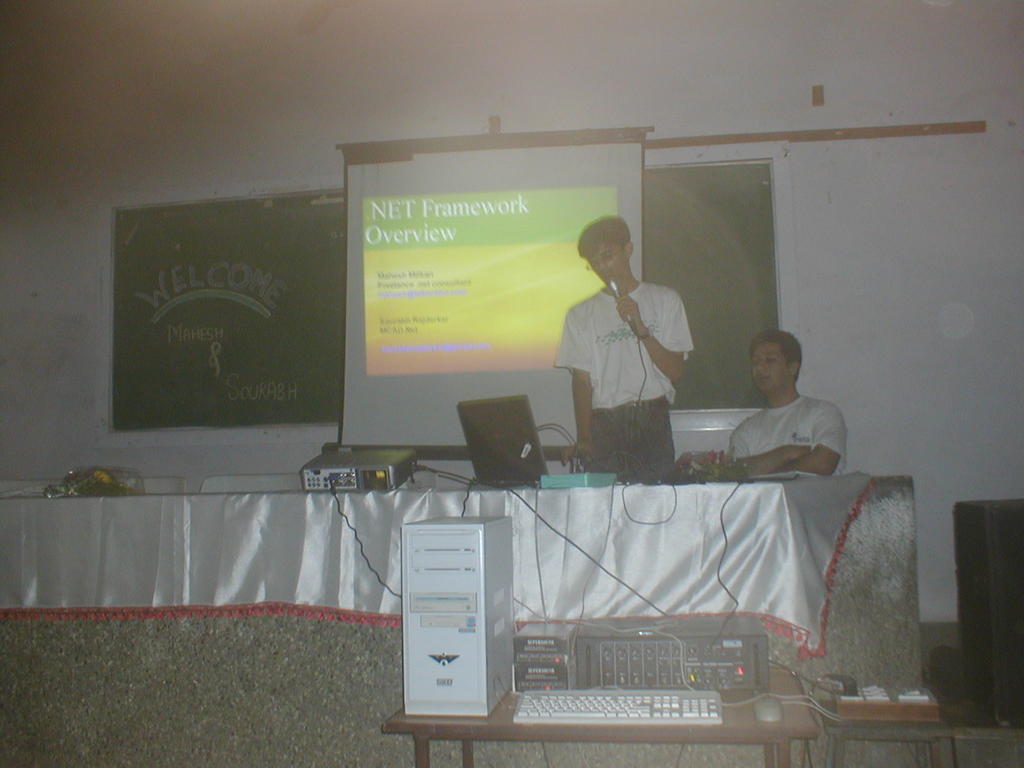
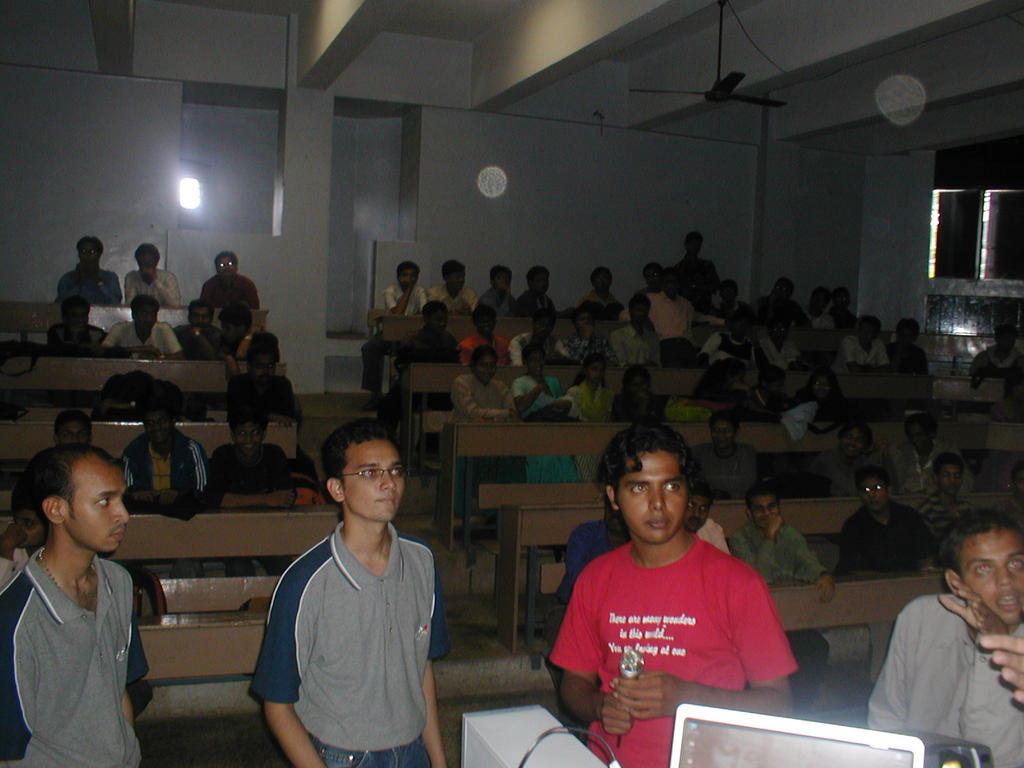
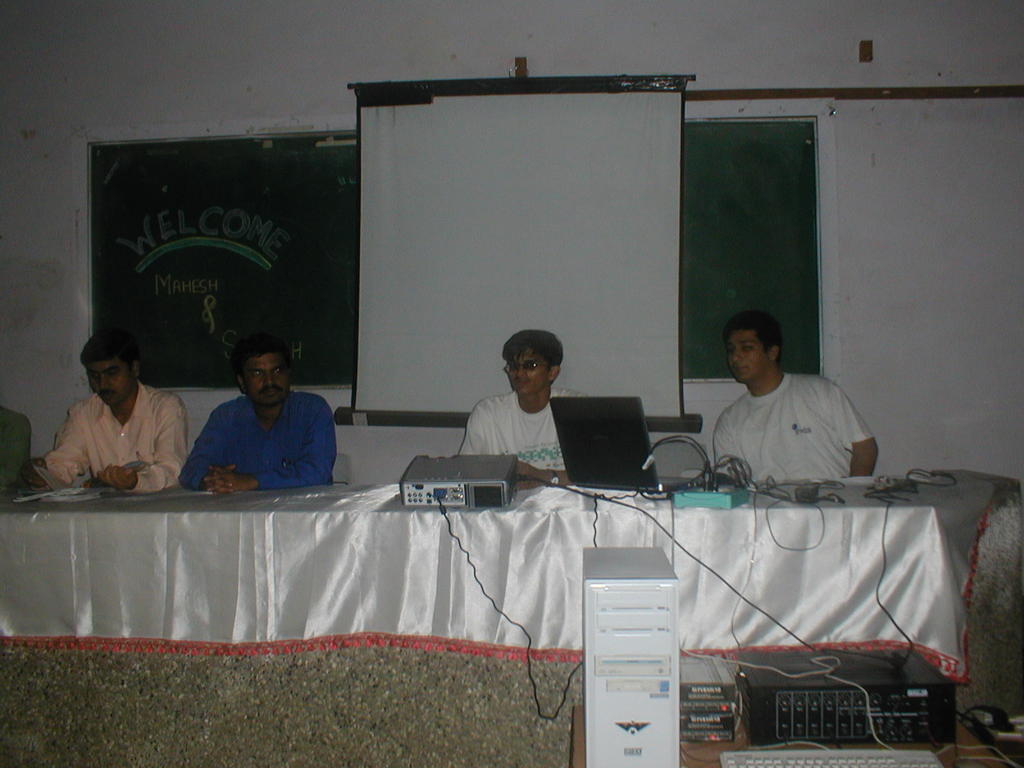
The new student chapter has been started in Bharati Vidyapeeth's Jawaharlal Nehru Institute of Technology, Katraj – Dhankawadi Campus, Pune on 30th July 2005
Mahesh Mitkari and Saurabh (Schamp from MIT)took the introductory session there on Sat 30th July, as” overview of .net framework”
The attendance is about 50+. And total duration of session is about 2 hrs.
Thanks to Mayur and Dev who took the initiative for the session.

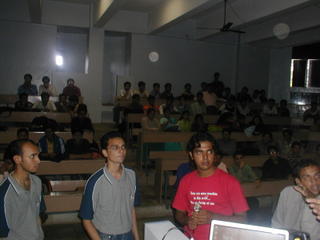
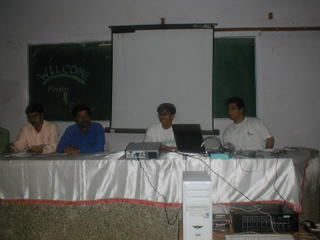
Mahesh Mitkari and Saurabh (Schamp from MIT)took the introductory session there on Sat 30th July, as” overview of .net framework”
The attendance is about 50+. And total duration of session is about 2 hrs.
Thanks to Mayur and Dev who took the initiative for the session.
Subscribe to:
Posts (Atom)